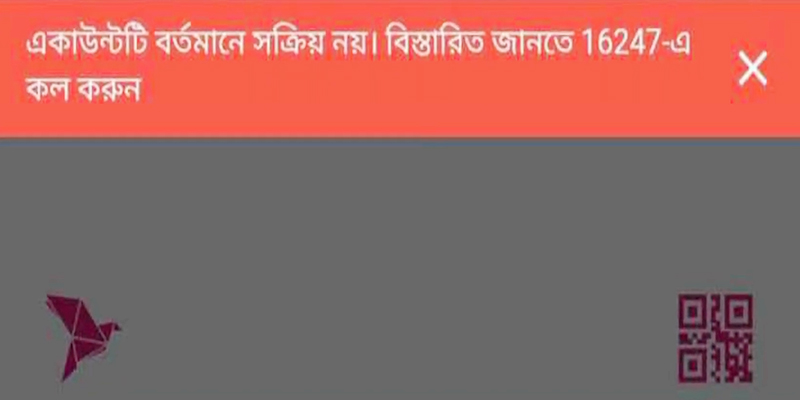
How to Fix the “Transaction is Not Possible” Error
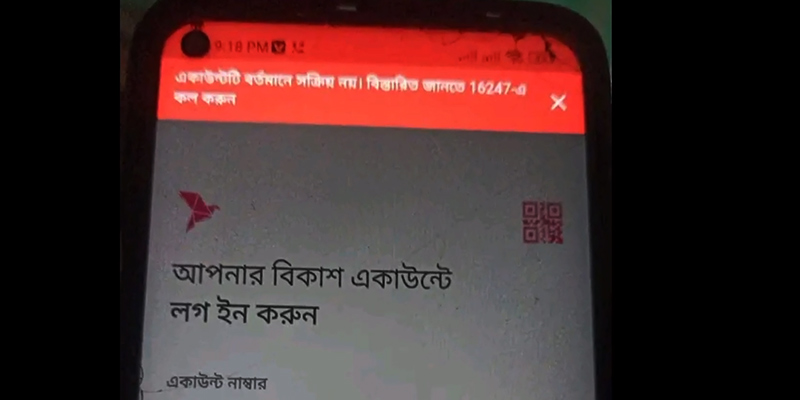
When you encounter this issue, do not panic. Most account blocks can be lifted through straightforward verification channels.
Here is a step-by-step roadmap to restoring your account:
Step 1: Turn Off Background Tools (VPNs)
Before attempting any formal troubleshooting, check your device settings. The bKash app actively blocks access if it detects a VPN or proxy running in the background.
Disconnect any VPN networks, close the app from your phone’s background tray, and re-login using your local mobile data network.
Step 2: Update Your KYC via the In-App Profile
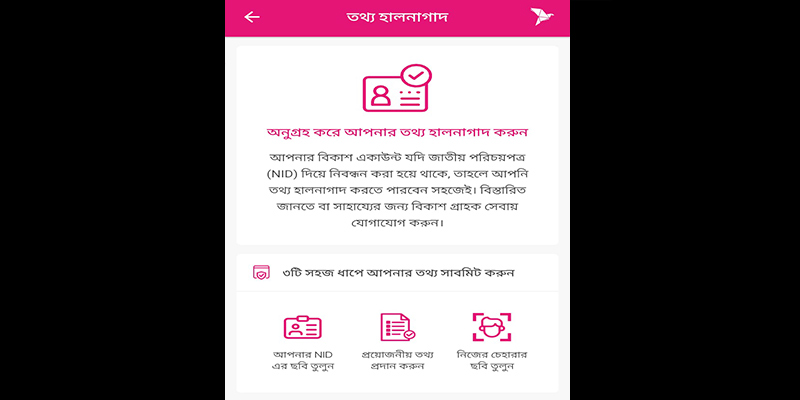
If your account lacks verified NID integration, you can quickly self-update through the official bKash mobile application.
-
Open your bKash App and log into your profile.
-
Tap on the bKash Menu button (the top-right bKash logo).
-
Select Information Update.
-
Carefully capture a clear photo of the front and back of your Original NID Card.
-
Verify the auto-filled personal details on the digital form.
-
Complete a quick Face Scanning procedure using your phone’s front camera.
-
Submit the form. Once bKash confirms the data against national servers, full account features are usually restored within a few hours.
[User App Interface] -> [Menu Option] -> [Information Update] -> [NID Photo & Selfie Upload]
Step 3: Check Your Transaction Statements
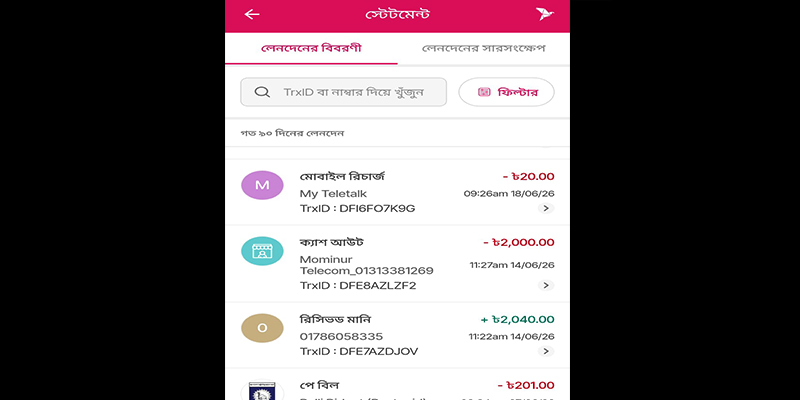
If your information is verified, check your latest billing details. Dial *247# or use the in-app Statement section to count your monthly transaction volumes.
If you have exceeded the regulatory boundaries listed above, no manual intervention will bypass the block; you will need to wait until the beginning of the next calendar month for your transaction limits to reset.
Step 4: Contact Official Customer Channels
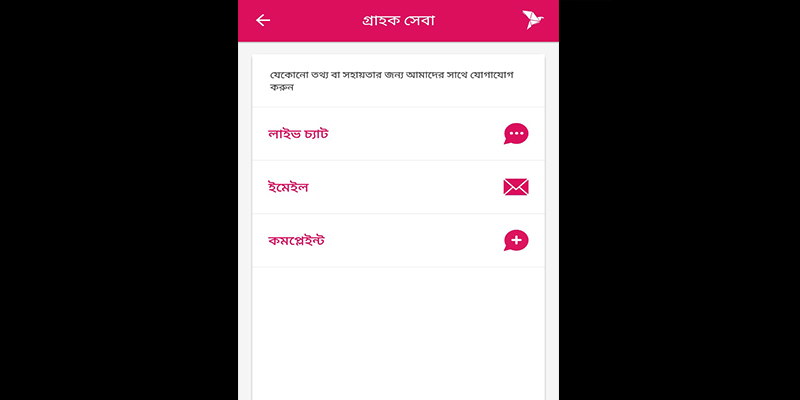
If your self-updates fail, or if your account remains restricted without a clear boundary violation, you must contact bKash support to investigate the backend freeze.
-
Helpline (16247): Dial this number from your registered mobile SIM. Be prepared to state your full name, NID number, mother’s name, and recent transaction values to verify ownership.
-
bKash Live Chat: If call queues are long, visit the official bKash website and launch the Live Chat portal. Agents can immediately look at the error log tied to your wallet number.
-
bKash Customer Care Centers: For severe blocks (such as a legal or security dispute), you must physically visit a local bKash customer care center. Bring your phone, the active physical SIM card, and your original physical NID card.
Why Does This Error Occur?
When bKash triggers this error, it typically means the system has flagged your wallet for compliance, security, or structural reasons. Instead of a specific notification like “insufficient balance,” this system block means your account functionality itself has been paused.
The core reasons behind this issue can be categorized into four primary groups:
1. Incomplete or Unverified KYC Data
The most common reason for this transaction freeze is outdated or incomplete Know Your Customer (KYC) documentation. Following regulations set by Bangladesh Bank, all mobile wallet providers must maintain updated, verified profiles of their users.
-
Paper-based Legacy Accounts: If your account was opened years ago using physical photocopies of your National ID (NID), your details might not be digitized or accurately integrated with the national server.
-
Information Discrepancies: If the information matching your SIM card registration does not fully align with your NID card, bKash may temporarily restrict transactions until the profile is corrected.
2. Violating Daily or Monthly Transaction Limits
To combat financial crimes and manage liquidity, Bangladesh Bank enforces strict limits on personal MFS accounts. Crossing these boundaries can instantly freeze your account capabilities.
| Transaction Type | Daily Max Limit (BDT) | Monthly Max Limit (BDT) | Daily Max Count | Monthly Max Count |
| Cash In | 50,000 | 300,000 | 20 times | 50 times |
| Send Money | 25,000 | 200,000 | 50 times | 100 times |
| Cash Out | 25,000 | 150,000 | 10 times | 100 times |
If you reach any of these ceiling limits, either in total monetary volume or the number of permitted daily or monthly transactions, the system will block further movement and throw an error.
3. Account Inactivity and Dormancy
An active bKash wallet requires periodic interactions. If a user does not execute any transactions (such as Cash In, Mobile Recharge, or Send Money) for an extended period, typically 90 to 180 days, the system automatically flags the wallet as dormant. This security feature prevents fraudsters from exploiting long-forgotten accounts.
4. Security Blocks and Suspicious Activities
bKash employs automated algorithms to protect users from fraudulent activities. Your account might be explicitly restricted if:
-
An incorrect PIN was entered multiple consecutive times.
-
You are logged into your bKash app while using a virtual private network (VPN).
-
Your account received funds from a source flagged for suspicious activity or illegal digital trading.
Proactive Habits to Keep Your Account Safe
Resolving an account block takes time.
To minimize the chances of being hit with a transaction error in the future, adapt these best practices into your mobile banking habits:
Keep Your Information Fresh:
If your old NID card has been upgraded to a Smart NID card, update your account information via the app instantly.
Perform Regular Audits:
Make it a habit to process at least one minor transaction (like a minor mobile recharge of BDT 20) every few weeks to keep your status marked as active.
Track Your Spending Patterns:
If you run a small business or receive heavy volumes of cash regularly, transition from a standard Personal Account to a dedicated bKash Merchant or Personal Retail Account to avoid hitting standard personal wallet ceilings.
Secure Your PIN:
Never share your PIN with anyone, including individuals claiming to be bKash agents or customer help representatives.
Conclusion
Seeing the statement “Transaction is not possible with this account” can disrupt urgent plans, but it is fundamentally a security mechanism designed to protect your hard-earned money and maintain regulatory balance.
By keeping your KYC documentation up-to-date, monitoring your monthly limits, and recognizing when to reach out to official support, you can resolve this problem efficiently and return to hassle-free digital spending.